BETA · WINDOWS VST3 + APP
vhsnoise®

EVOMATIC™

THE FUTURE OF SAMPLING //////////

Load any song and it lands on a record. Scratch it, chop it onto 24 pads, split it into stems and MIDI, and read its key, chords and structure. One plugin, from the first listen to the finished flip.

See what it does

Beta tester? .

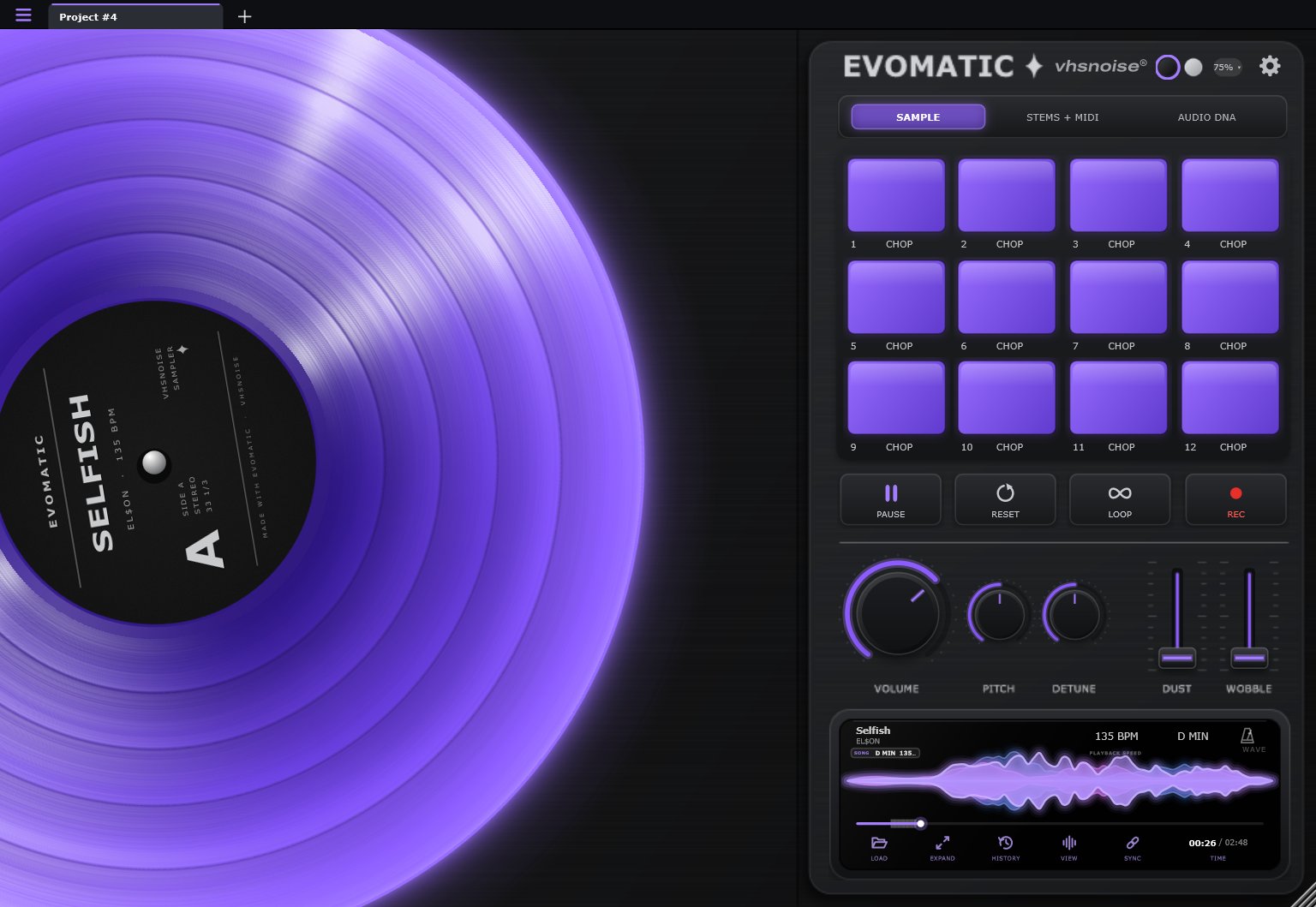
EVOMATIC deck page: a purple record with the sampler pads, knobs and waveform
SCRATCH IT/CHOP IT/SPLIT IT/READ IT
01 THE DECK

A record you can actually scratch.

Every song lands on a virtual turntable. Scratch it with the mouse, a trackpad or your MIDI controller, record your takes, and colour the sound with VOLUME, PITCH, DETUNE, DUST and WOBBLE.

  • 12 sample pads always under your fingers
  • Record designs from clear purple to chrome
  • Record takes straight to WAV
The EVOMATIC deck
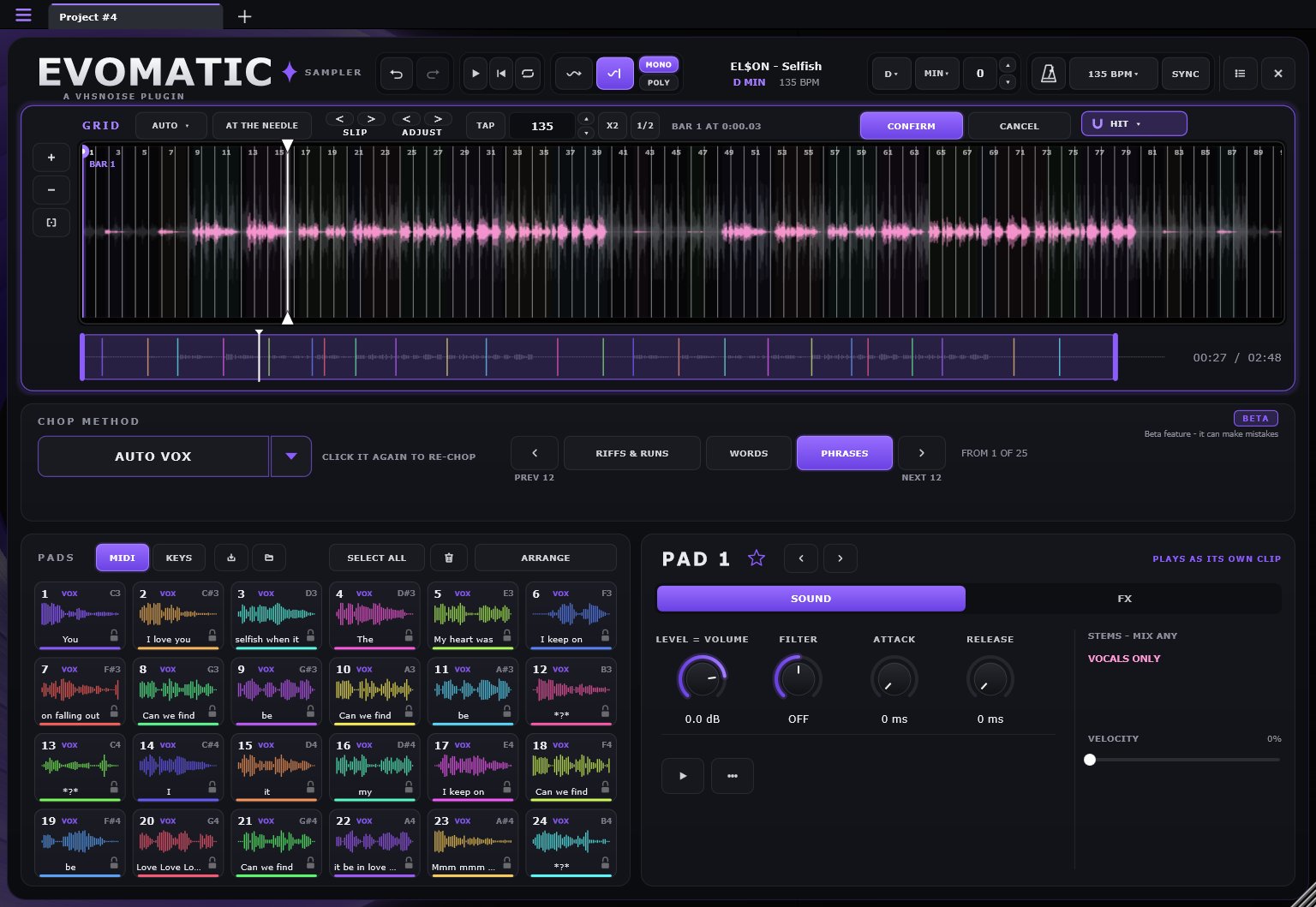
02 THE SAMPLER

24 pads. Chopped for you, or by you.

Chop by hand while the song plays, or let EVOMATIC do it: on the grid, by the lyrics, by the bass notes, by every drum hit, or at random. Each pad gets its own sound, effect, stems, filter and envelope.

  • AUTO VOX chops every word, phrase or vocal run, named with the lyric
  • Mix any stems per pad: vocals only, drums only, anything
  • Play from MIDI or your computer keyboard
The sampler: waveform with chops, chop methods and 24 pads named with lyrics
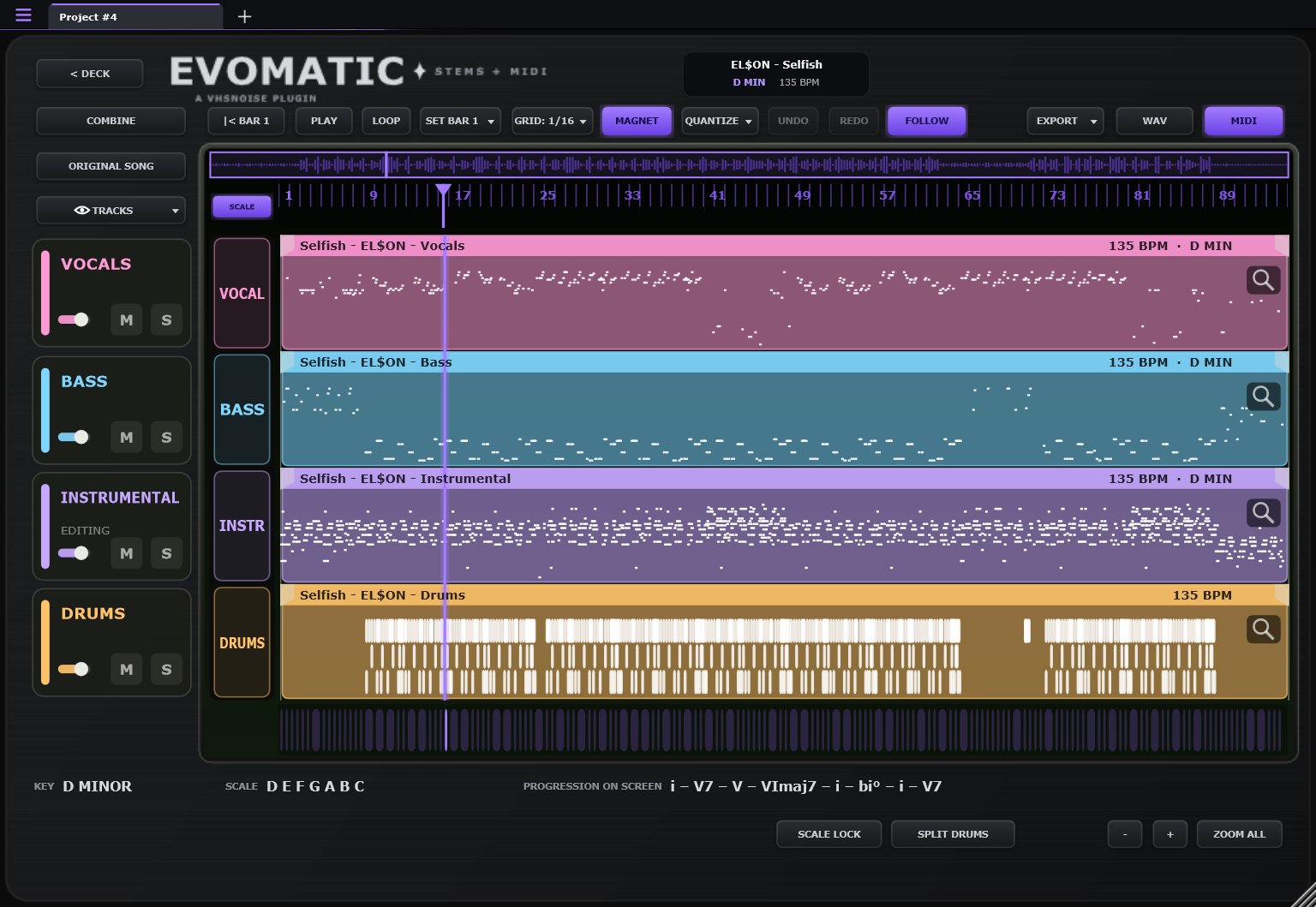
03 STEMS + MIDI

Split it. See it as notes. Drag it out.

Split any song into vocals, bass, instrumental and drums. See each one as audio or as MIDI notes, edit it like a DAW, then drag it straight into your own session.

Stems + MIDI page with vocal, bass, instrumental and drum tracks
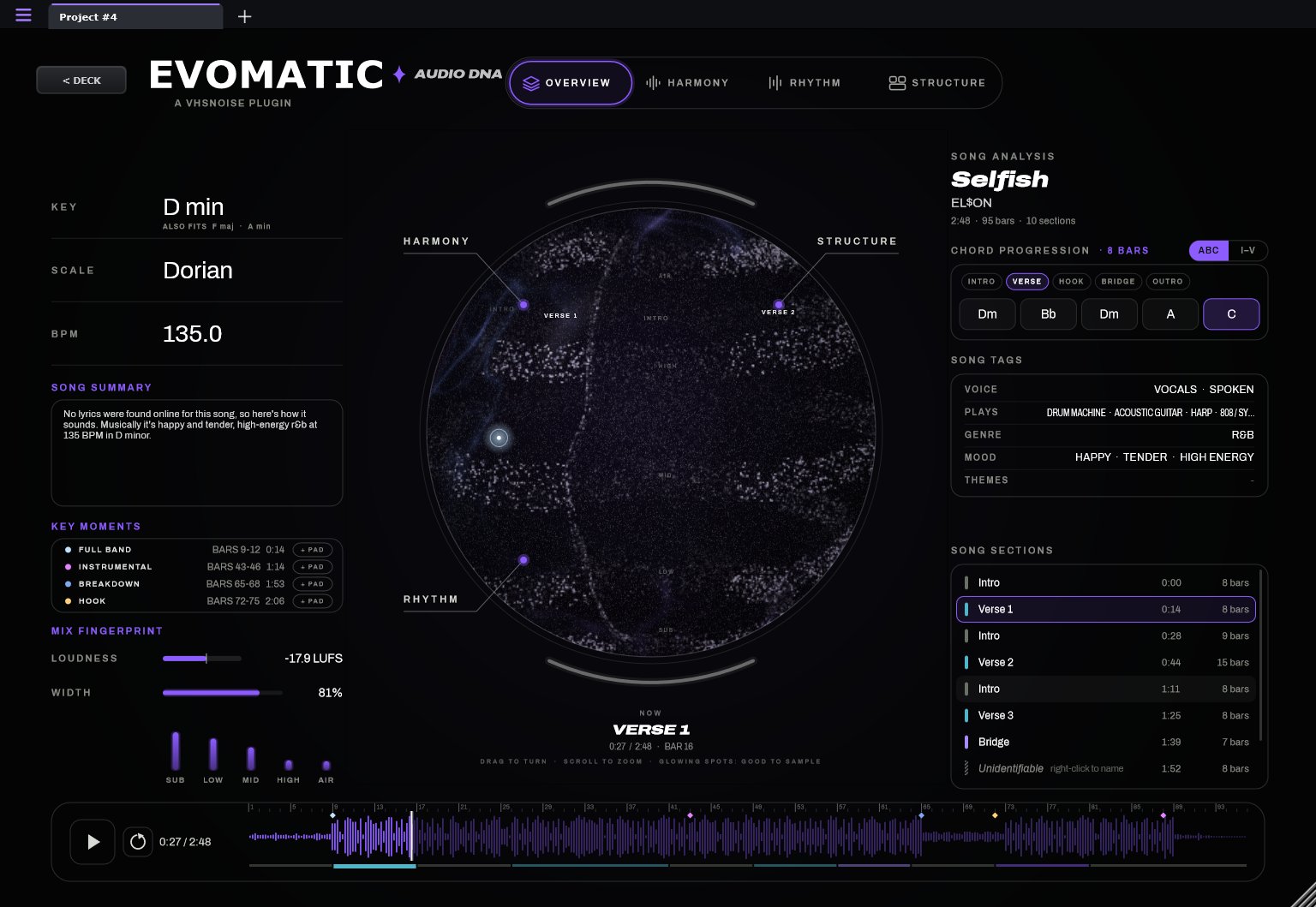
04 AUDIO DNA

Know the song before you flip it.

Key, scale, tempo, chords, drum pattern and song sections on one page, with the most sample-worthy moments marked for you. Send any of them to a pad in one click.

Audio DNA overview: key, scale, BPM, chords and song sections
SIX WAYS TO CHOP

Click once. Get 24 samples.

MANUAL

Hit an empty pad while the song plays to drop a chop right there.

AUTO CHOP

Even chops on the grid, from a quarter bar up to 16 bars.

AUTO VOX beta

Riffs & runs, single words or whole phrases from the vocal, named with the lyric.

AUTO BASS beta

Every bass note on its own pad, low to high, or whole bass lines.

AUTO DRUM beta

Each different drum sound once, named for you: kick, snare, hat and more.

RANDOM

24 surprises from anywhere in the song, each on a beat. Again for a new set.

RUNS ON YOUR COMPUTER

Your audio never leaves your machine.

Stem splitting and lyric reading happen right on your PC, not on a server. No uploads, no waiting in a queue, no monthly credits. The first split of a song takes a few minutes; after that it's instant.

SPECS

What you need.

FORMATSVST3 instrument + standalone app
SYSTEMWindows 10 or 11, 64-bit
DISKAbout 1 GB
CPUMulti-core recommended
DAWSAbleton Live, FL Studio, Studio One, Reaper, Cubase, Bitwig and other VST3 hosts
ACTIVATIONSign in once. 2 computers per licence. Offline activation available.
AUDIO FILESWAV, AIFF, FLAC, MP3 and OGG
MACNot yet - sign up below to hear first

EVOMATIC™

In beta now. Get an email the day it launches.

Read the manual
FAQ

Questions.

Does it work in my DAW?

If your DAW loads VST3 instruments on Windows, yes: Ableton Live, FL Studio, Studio One, Reaper, Cubase, Bitwig and more. You can also use the EVOMATIC app on its own, no DAW needed.

Is there a Mac version?

Not yet. Windows comes first. Sign up for updates and you'll hear as soon as there's news.

Do I need the internet?

Only to activate once. Splitting stems, reading lyrics and everything else runs on your computer. There's an offline activation option for studio machines that stay offline.

How many computers can I use it on?

Two at a time. Move it between computers any time from your account.

Where do I download it after I buy?

Click Downloads at the top of this page and sign in. Your licence and the latest installer are always there.

I found a bug. What do I do?

Use Report a Bug in the app's menu, or email support@vhsnoise.com. Beta reports help a lot.

Can I use what I make with it in my releases?

Your beats and flips are yours. Clearing the songs you sample from is up to you, the same as with any sampler.